
Osool AI CFO
Review risk and anomalies with AI CFO
How to handle AI signals about risk or financial anomalies without treating them as final decisions or accusations.
Product Screenshots
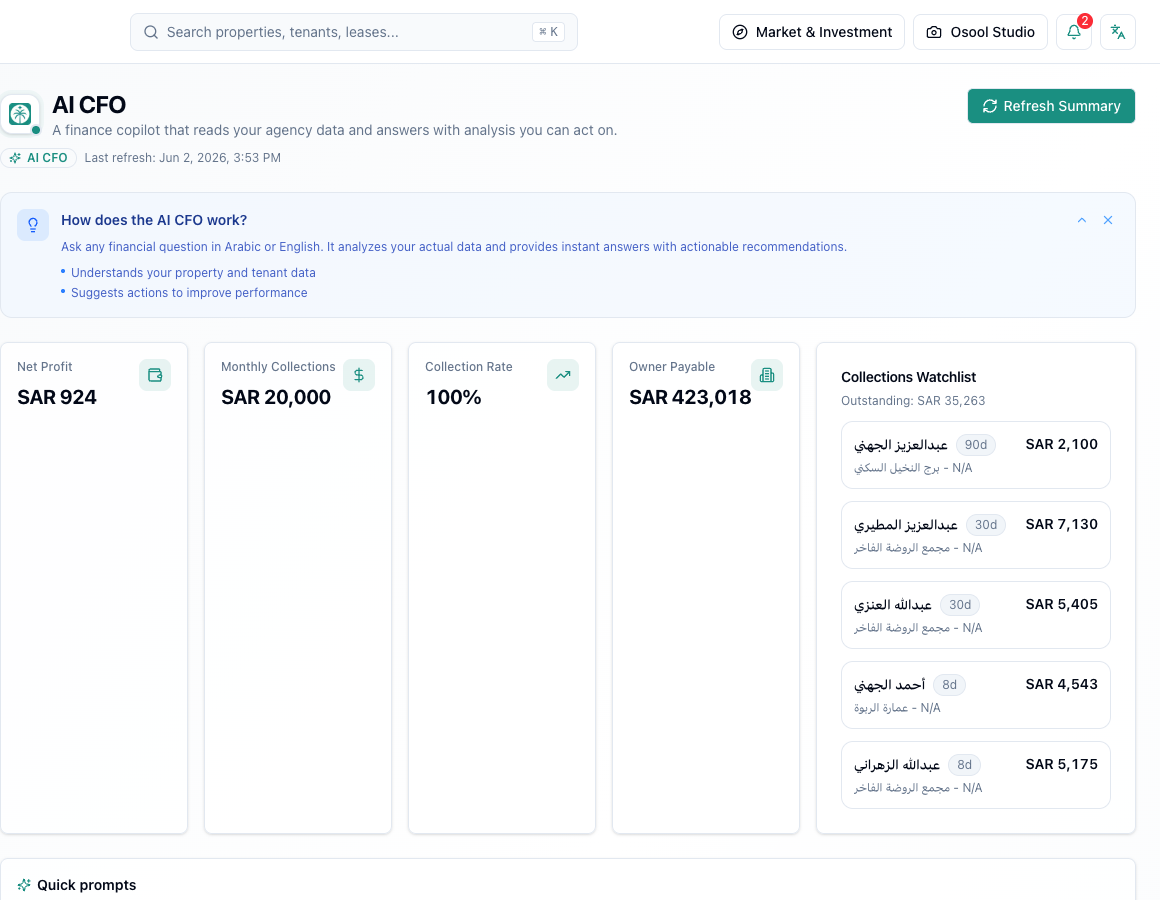
What risk or anomaly means
A risk or anomaly is a signal that needs review, such as lower collections than usual, a large expense, unexpected owner balance, or a tenant with repeated delays.
The signal does not prove an error. It may be caused by missing data, an unrecorded payment, or a normal lease change.
Review method
Start from the source: lease, invoice, payment, expense, or owner statement. Then compare the current period with a similar period and confirm there are no filters or missing records.
- Identify the signal
- Open the source record
- Compare with a similar period
- Review missing data
- Document the decision
What not to do
Do not edit a lease, owner balance, or tenant escalation based only on an AI answer. Do not use AI output as legal or accounting evidence without qualified review.
Product status
Automated anomaly and risk detection needs Product Review before being documented as a complete workflow for every agency. This article explains safe usage when such signals appear.
Data to confirm before asking AI CFO
Every AI CFO answer depends on lease, collection, expense, and owner balance quality. If the source data is incomplete, the answer will be incomplete.
Use AI CFO for analysis, question framing, and suggested actions, then review results with a person before execution.
- Leases
- Collections
- Expenses
- Owner balances
- Cashflow
- Human review
How to apply this inside the agency
Turn the article into a small dashboard action: open the related record, review the data, make the appropriate update, then document the outcome so the rest of the team can see it.
If the action involves a financial, regulatory, owner, or tenant-impacting decision, ask the responsible role to review it before final approval.
- Open the record
- Review data
- Take action
- Document outcome
- Escalate when needed
Product status and review needed
This workflow needs Product Review. Use it as conceptual guidance only until Product confirms the final status.
If a step described here is not visible in the agency dashboard, treat it as not enabled for your account and check with your admin or Product.
Related Articles
Osool AI CFO
Read AI CFO KPIs and action drafts
How AI CFO uses profit, collections, and owner payable indicators to generate answers and action drafts that still need human review.
Read articleOsool AI CFO
Responsible usage and AI CFO limits
Practical rules for using AI analysis without treating it as the final decision.
Read articleTenants
Tenant follow-up, risk, and communication
How to read tenant history, delays, payments, and communication before taking operational or escalation action.
Read article