
Osool Listings
Creating and publishing listings
The workflow for publishing a public listing from an existing unit in the agency workspace.
Product Screenshots
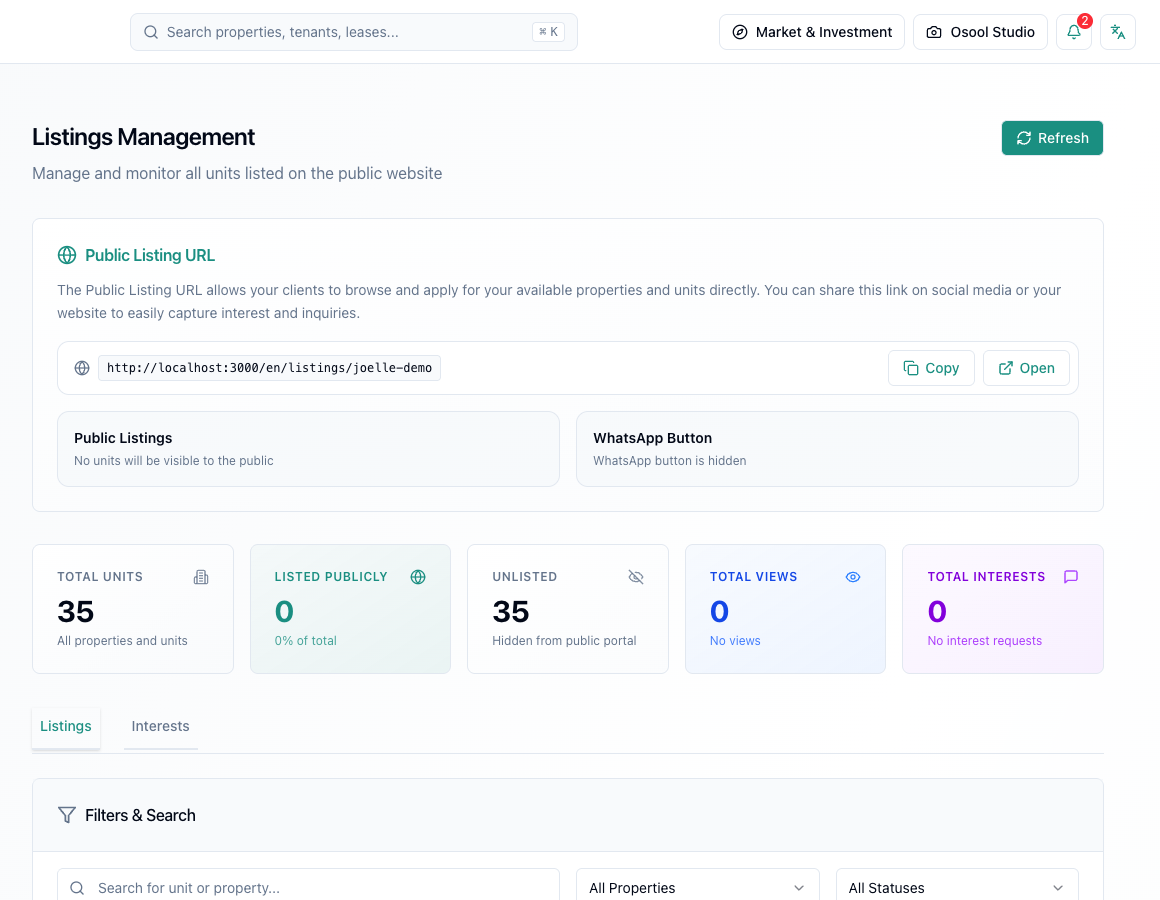
Where a listing starts
An Osool listing starts from an existing unit in the system. This keeps price, unit status, property context, and location connected to the agency data model.
- Choose the unit
- Review price, photos, and description
- Activate the listing
- Copy or open the public link for review
Before publishing
Make sure public listings are enabled for the agency and that the agency public slug is configured. Some publishing scenarios may require a connected FAL license.
Listing data that makes a difference
Review price, images, description, publish status, public URL, views, and interest requests before judging marketing performance.
If unit information is incomplete, the result will show up as weak inquiries or repeated client questions.
- Price
- Images
- Description
- Publish status
- Views
- Interest requests
How to apply this inside the agency
Turn the article into a small dashboard action: open the related record, review the data, make the appropriate update, then document the outcome so the rest of the team can see it.
If the action involves a financial, regulatory, owner, or tenant-impacting decision, ask the responsible role to review it before final approval.
- Open the record
- Review data
- Take action
- Document outcome
- Escalate when needed
Product status and review needed
This is documented as an available workflow, but results can still vary by user permissions, agency settings, and data quality.
If a step described here is not visible in the agency dashboard, treat it as not enabled for your account and check with your admin or Product.
Related Articles
Osool Listings
Managing listing media, pricing, and descriptions
How to keep a listing clear with enough media, understandable pricing, bilingual descriptions, and accurate features.
Read articleOsool Listings
Listing quality checklist
A checklist to review before publishing or sharing a listing with customers.
Read articleOsool Listings
Real estate marketing workflow and reducing WhatsApp and Excel handoffs
How public links and inquiry tracking reduce scattered conversations and spreadsheets.
Read article