
Osool Studio
Creating marketing images with Osool Studio
Use virtual staging to turn an empty-room photo into a review-ready marketing image.
Product Screenshots
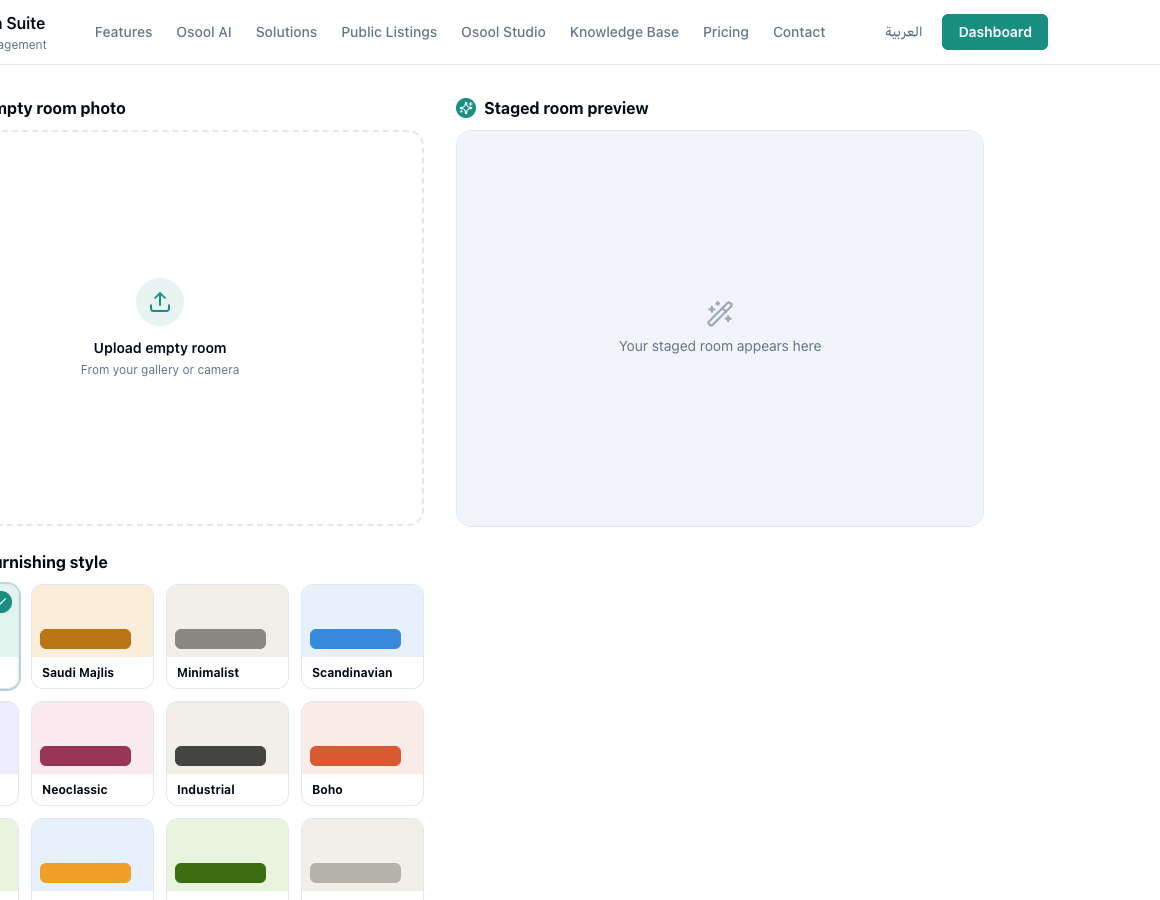
When to use it
Use Osool Studio when a unit is empty or the original photos do not show its potential. The goal is to help customers imagine the space, not change the reality of the property.
Workflow
Upload the room photo, choose style, room type, and density, then review the result before using it in a listing.
- Upload a clear photo
- Pick a style suitable for the target market
- Download when satisfied
- Do not use the image if it changes important details
Image data before using Studio
Start with a clear original unit photo, then choose room type and a style that fits the audience. Review credits and gallery output before generating many versions.
Use AI-staged images clearly for marketing and do not present them as physical reality if furniture is virtual.
- Original image
- Room type
- Style
- Credits
- Gallery
- Clear usage
How to apply this inside the agency
Turn the article into a small dashboard action: open the related record, review the data, make the appropriate update, then document the outcome so the rest of the team can see it.
If the action involves a financial, regulatory, owner, or tenant-impacting decision, ask the responsible role to review it before final approval.
- Open the record
- Review data
- Take action
- Document outcome
- Escalate when needed
Product status and review needed
This is documented as an available workflow, but results can still vary by user permissions, agency settings, and data quality.
If a step described here is not visible in the agency dashboard, treat it as not enabled for your account and check with your admin or Product.
Related Articles
Osool Listings
Managing listing media, pricing, and descriptions
How to keep a listing clear with enough media, understandable pricing, bilingual descriptions, and accurate features.
Read articleOsool Studio
Brand consistency, export, and sharing options
What is currently available in Studio and what needs product confirmation around social publishing and sharing.
Read articleOsool Studio
Run Osool Studio: images, credits, and export workflow
How to use Osool Studio to prepare marketing images for units while tracking credits, gallery output, and available sharing options.
Read article