
Admin, Settings, and Account Management
Agency settings, account, and public links
Settings that affect public identity, listings, and agency data.
Product Screenshots
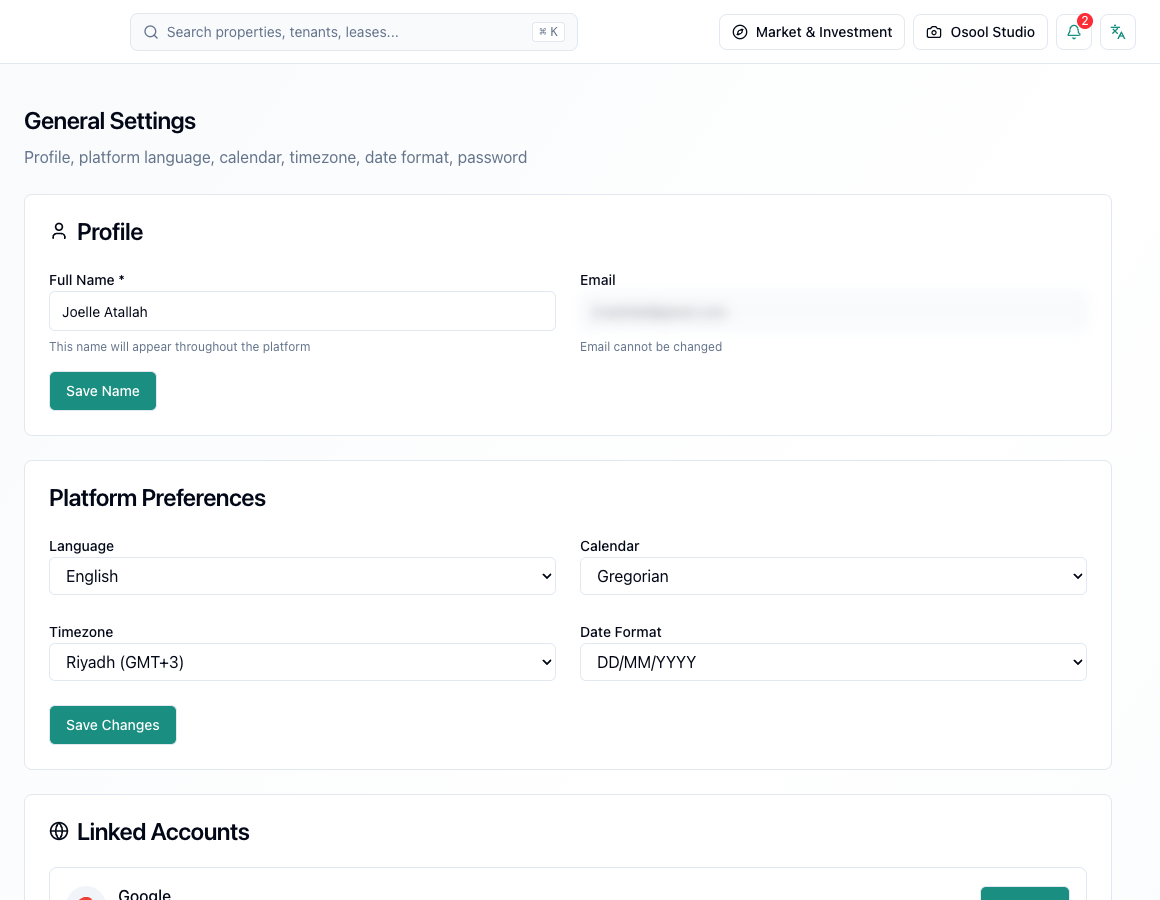
Important settings
Review agency profile data, public listing slug, contact settings, and required integrations before enabling public workflows such as listings or payments.
When settings change
After changing a public setting, open the affected public link or page to confirm the change appears as expected.
Settings that affect every user
Review language, timezone, calendar, agency details, permissions, and linked accounts before investigating differences in dates, access, or reports.
Do not give broad permissions to users who do not need them. Excess permissions increase the risk of accidental financial or operational edits.
- Language
- Timezone
- Calendar
- Agency details
- Permissions
- Linked accounts
How to apply this inside the agency
Turn the article into a small dashboard action: open the related record, review the data, make the appropriate update, then document the outcome so the rest of the team can see it.
If the action involves a financial, regulatory, owner, or tenant-impacting decision, ask the responsible role to review it before final approval.
- Open the record
- Review data
- Take action
- Document outcome
- Escalate when needed
Product status and review needed
This is documented as an available workflow, but results can still vary by user permissions, agency settings, and data quality.
If a step described here is not visible in the agency dashboard, treat it as not enabled for your account and check with your admin or Product.
Related Articles
Osool Listings
Creating and publishing listings
The workflow for publishing a public listing from an existing unit in the agency workspace.
Read articleAdmin, Settings, and Account Management
Roles and permissions
Why screens and actions differ based on the user role inside the agency.
Read articleAdmin, Settings, and Account Management
Account security, roles, and audit logs
How to configure account language, timezone, user roles, and permissions before granting access to agency data.
Read article